Imagine creating a historical documentary without manually editing every scene, animating images, or synchronizing narration. What if an AI coding agent could handle most of that production workflow for you?
That’s exactly what Parallax Doc is designed to do.
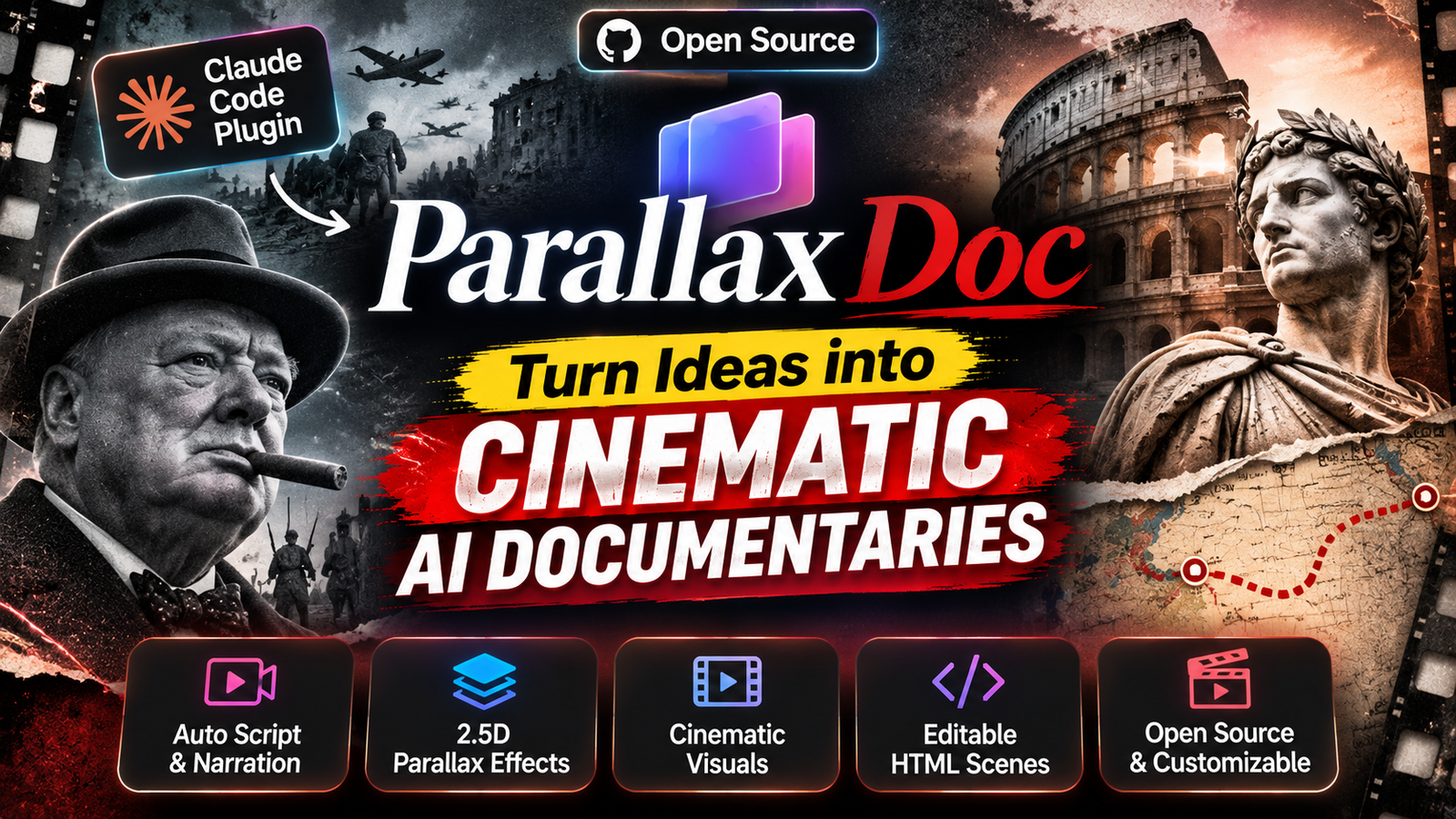
Parallax Doc is an open-source plugin for Claude Code that transforms a simple text prompt into a cinematic, short-form documentary. Instead of producing an ordinary slideshow with static images, it creates a continuous camera movement, layered 2.5D visuals, animated typography, narration, and a distinctive archival-film aesthetic.
The project is available on GitHub and is particularly interesting for documentary creators, history channels, and filmmakers experimenting with AI-powered video production.
What Is Parallax Doc?
<escape>Parallax Doc</escape> is a Claude Code plugin created by Sanskar Prajapati. It teaches Claude Code a particular documentary-making style and provides the tools and scene templates needed to produce videos in that style.
You can simply give Claude Code a prompt such as:
Make a 60-second documentary about why the Berlin Wall fell in 1989.
The agent then follows a structured workflow: writing the script, generating narration, creating images, assembling animated scenes, and rendering the final video.
The result is a 1080p MP4, along with a 720p preview.
What makes it interesting is that the generated scenes are built using HTML, GSAP animations, and HyperFrames. This means the animation is not just a flattened video: the underlying scene code can be opened and modified.
What Makes Parallax Doc Different?
The main attraction is its distinctive visual style. The project is designed around five cinematic principles.
1. One Continuous Camera Movement
Traditional documentaries often use hard cuts between images and scenes.
Parallax Doc takes a different approach. It uses one continuous camera movement, transitioning between scenes through visual elements.
For example, the camera might move behind a passing object, travel through a newspaper photograph, or dive into a date on a calendar to reveal the next scene.
This creates the feeling of watching one continuous cinematic sequence rather than a collection of separate slides.
2. 2.5D Parallax Animation
Instead of treating an image as a single flat background, Parallax Doc builds scenes using approximately 3–5 visual layers.
Each layer moves at a different speed, creating an illusion of depth.
For example, a historical battlefield scene could contain:
- Foreground soldiers or objects.
- Middle-ground buildings and vehicles.
- Background landscapes and skies.
- Additional atmospheric elements.
As the camera moves, these layers shift independently, creating a cinematic 2.5D parallax effect.
3. Animated Typography
Text is another important part of the visual identity.
The plugin uses calligraphic serif typography, with words appearing letter by letter as the narrator speaks.
One word per line receives a red highlight, making important phrases stand out.
Even more interestingly, the text is integrated into the scene itself. It can appear behind a headstone, on a war-room table, or pinned to a map.
4. Vintage Documentary Film Look
Parallax Doc uses a deliberately worn archival aesthetic rather than a clean, modern motion-graphics style.
Its visual treatment includes:
- Desaturated and cool colours.
- Heavy vignette effects.
- Film grain and dust.
- Vertical scratches.
- Fine dot-grid texture.
- Slight colour separation.
This makes the generated videos feel closer to historical documentary footage.
5. Editable HTML-Based Scenes
The scenes are built using HTML, animated with GSAP, and rendered frame-by-frame through HyperFrames.
This is important because the generated animation is not limited to a final MP4. You can inspect and modify the underlying code, including camera movements, scene configurations, and animation parameters.
How to Install Parallax Doc in Claude Code
The plugin is designed to work with Claude Code. You will need a few dependencies before generating your first documentary.
Step 1: Install the Plugin
Open Claude Code and execute these commands:
/plugin marketplace add sanskarprajapati/parallax-doc
/plugin install parallax-doc@parallax-doc
This adds the repository as a plugin marketplace and installs Parallax Doc.
Step 2: Install the Required Dependencies
The project requires:
| Dependency | Purpose |
|---|---|
| Node.js 18+ | Runs the HyperFrames CLI |
| FFmpeg | Video processing and rendering |
| Python 3.9+ | Image and layer processing |
| Pillow, NumPy, SciPy | Python image-processing dependencies |
| OpenRouter API key | AI image generation |
| TTS voice | Documentary narration |
Install the Python dependencies from the repository:
python3 -m pip install -r plugin/skills/parallax-doc/requirements.txtInstall FFmpeg if it is not already available.
For macOS:
brew install ffmpegFor Ubuntu or Debian:
sudo apt install ffmpegYou will also need an OpenRouter API key for image generation.
Set it as an environment variable:
export OPENROUTER_API_KEY="your_api_key"For narration, you can use ElevenLabs, your own recording, or a local voice through the HyperFrames TTS command.
Step 3: Check Your Setup
Before generating a video, ask Claude Code:
Run the parallax-doc setup check.Alternatively, execute the setup-check script:
plugin/skills/parallax-doc/scripts/check_setup.shThis helps verify whether the required dependencies are available.
How to Generate Your First AI Documentary
Once installation is complete, you can ask Claude Code to create a documentary.
For example:
Make a 60-second parallax-doc documentary
about why the Berlin Wall fell in 1989.
The plugin follows a five-stage production workflow.
Stage 1: Script Writing
Claude writes a documentary script of approximately 135 words. The workflow includes a narrative turn in the middle and fact-checks the claims. It waits for your approval before proceeding.
Stage 2: Voice Generation
The system generates narration in one take and adjusts it to fit the target duration. It can shorten long pauses and slightly adjust speaking speed. Word-level timing information is also generated for synchronization.
Stage 3: AI Image Generation
The agent creates prompts for individual images and generates them through OpenRouter.
The project estimates image generation at approximately $0.014 per image. Foreground elements are generated on plain white backgrounds to make layer separation easier.
Stage 4: Scene Creation
The agent selects scene blocks, inserts images, configures camera movements, and synchronizes animated text with the narration.
Stage 5: Rendering and Review
Finally, the system renders the scenes, applies the film look, and checks transitions frame by frame.
You receive a 1080p MP4 and a 720p preview.
Different Scene Templates Available
Parallax Doc includes several reusable scene blocks. Each block has a configuration object that controls its visual parameters.
| Scene block | What it does |
|---|---|
title-open | Opens with a flag, archival figures, title, and date |
seam-pass | Uses a passing object and camera movement to transition between scenes |
object-wipe | Uses a large foreground object to reveal the next scene |
handheld-paper | Shows a newspaper or telegram before transitioning into a photograph |
plate-push | Adds camera movement, animated text, shake, and visual details |
map-route | Follows a glowing red route across an old map |
calendar-dive | Animates a calendar date and dives into it |
cover-pass | Uses a large moving object to reveal a new visual environment |
These templates give the agent a reusable visual language instead of requiring it to invent every animation from scratch.
Can You Recreate an Existing Video’s Style?
Yes. One particularly interesting feature is reference-video analysis.
You can provide a reference video and ask Claude Code:
Break down this video frame by frame
and make one in its style.
According to the repository, the plugin analyzes the reference video frame by frame before building a new documentary to match its style.
This could be useful for creators who have a specific documentary aesthetic in mind and want to use it as a visual reference.
How Much Does Parallax Doc Cost?
The repository describes the following estimated image-generation costs:
- Approximately $0.014 per generated image.
- Approximately $0.30 in image-generation costs for a 60-second documentary.
- Voice generation is an additional cost, depending on the TTS service you choose.
- Rendering happens locally and takes approximately two minutes on a recent Mac, according to the project’s documentation.
These are the developer’s estimates, not guaranteed prices. Your actual costs can vary depending on image-generation usage, voice provider, and hardware.
Also, remember that Parallax Doc is not a completely free, standalone video-generation service. You need Claude Code, the required dependencies, and access to an image-generation provider.
Is Parallax Doc Worth Trying?
Parallax Doc is an interesting experiment in AI-assisted documentary production.
Its biggest advantage is that it combines scriptwriting, narration, image generation, scene construction, and rendering into one workflow. The continuous-camera approach and layered 2.5D animation also give it a more distinctive visual identity than a conventional AI slideshow.
However, it is not a replacement for every video-editing workflow. You still need to review factual accuracy, inspect the generated visuals, and make adjustments where necessary. You also need to configure the required tools and API access.
For creators who regularly make historical documentaries, educational videos, or cinematic storytelling content, it is worth exploring.
Final thought: AI video creation is moving beyond generating isolated clips. Projects like Parallax Doc demonstrate how AI coding agents can coordinate an entire production pipeline, from a written idea to a rendered documentary.
Source and Project Links
- GitHub Repository: https://github.com/sanskarprajapati/parallax-doc
- HyperFrames: https://hyperframes.heygen.com/
- Claude Code: https://claude.com/product/claude-code
- OpenRouter: https://openrouter.ai/
Parallax Doc is released under the MIT License. Generated images and voices remain subject to the terms of their respective providers. The repository also notes that AI reconstructions of real people should be identified as reconstructions when published.