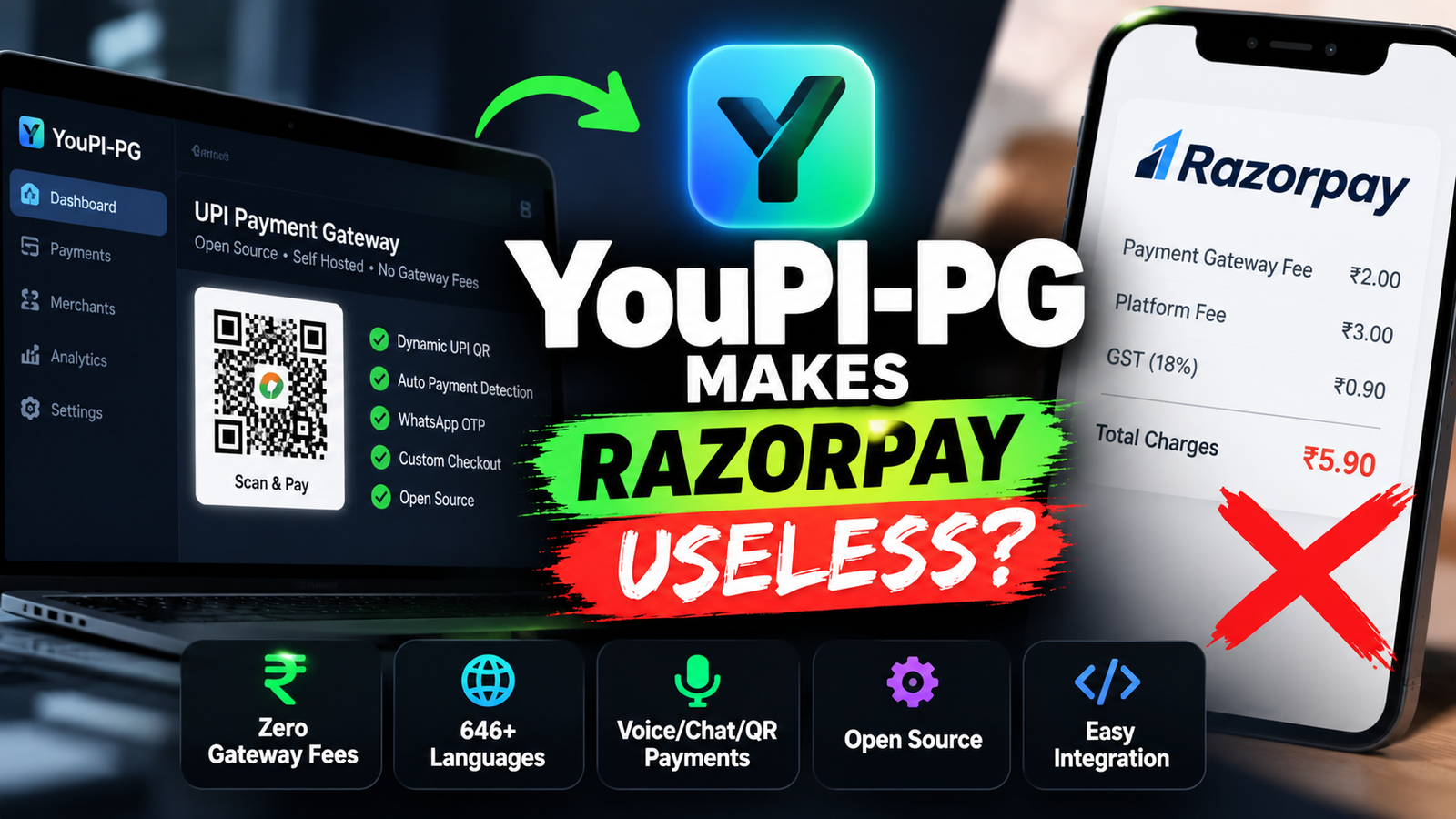
YouPI-PG is an experimental, self-hosted UPI payment gateway that lets developers explore QR-based payments, automated payment detection, and custom checkout flows without paying a gateway platform fee per transaction. Here’s what it does, how to set it up, and why it is not yet a drop-in replacement for Razorpay.
Every time a customer pays online, a business may have to account for payment gateway charges, settlement arrangements, and integration costs. For small businesses and independent developers, these expenses can make building an online checkout more complicated.
Now, an open-source project called YouPI-PG is exploring a different approach.
Instead of relying entirely on a hosted payment gateway, YouPI-PG lets developers run their own UPI checkout system. It supports dynamic QR payments, a JavaScript checkout integration, WhatsApp-based OTP authentication, and experimental payment detection using bank alerts.
The project is available publicly on GitHub and is designed for developers who want to study, test, and customise payment infrastructure.
But there is an important catch: the project explicitly describes itself as experimental and not certified, bank-approved, audited, or production-ready. It is an interesting open-source experiment—not a proven replacement for a regulated payment gateway.
What Is YouPI-PG?
YouPI-PG is a self-hosted UPI and cash-on-delivery payment gateway project. Its goal is to give developers more control over their checkout infrastructure rather than depending entirely on a third-party payment gateway platform.
Traditional gateways such as Razorpay provide hosted infrastructure, merchant onboarding, payment processing integrations, and operational support. YouPI-PG takes a different technical approach: it combines UPI payment requests, dynamic QR codes, bank-alert monitoring, and a custom checkout interface.
Its main features include:
- No per-transaction gateway platform fee claimed by the project: Merchants still need to account for hosting, infrastructure, maintenance, and any applicable banking or service charges.
- Dynamic UPI QR codes: Customers can scan a QR code using a compatible UPI application.
- Custom checkout: Developers can integrate a JavaScript-based checkout flow into their websites.
- Automated payment observation: The system attempts to match bank SMS, push notifications, and email alerts with payment sessions.
- WhatsApp OTP authentication: The project includes a pre-checkout authentication flow.
- Self-hosted infrastructure: Developers can inspect and modify the code and run the services on their own machine or server.
These capabilities come from the project’s own documentation. Their presence does not establish that the software is secure, reliable, or suitable for production payments.
How Does YouPI-PG Work?
The basic idea is to connect a website’s checkout flow to a self-hosted application that generates a UPI payment request and attempts to detect the resulting payment.
Here is the simplified process:
- A customer clicks the payment button on a website.
- YouPI-PG creates a payment session and displays a dynamic UPI QR code.
- The customer scans the QR code and makes a payment through a compatible UPI app.
- The receiving bank may send an SMS, push notification, or email alert.
- YouPI-PG attempts to interpret the alert and match the amount and transaction reference to the pending payment.
- The application reports a payment status to the checkout flow.
The important distinction is that an alert is not the same thing as authoritative proof of settlement. Messages can be delayed, duplicated, misread, or spoofed. Any real payment system needs independent reconciliation and robust handling of ambiguous transactions.
YouPI-PG’s own documentation warns developers not to treat the experimental system as the sole source of truth for payments.
YouPI-PG vs. Razorpay: What Is the Difference?
| Feature | YouPI-PG | Razorpay |
|---|---|---|
| Business model | Self-hosted open-source project | Commercial payment platform |
| Per-transaction gateway fee | Project claims zero platform gateway fees | Depends on the applicable pricing plan and transaction type |
| Infrastructure | You operate and maintain it | Provider operates its payment infrastructure |
| Checkout integration | JavaScript SDK and custom checkout | Hosted checkout and APIs |
| Payment detection | Experimental bank-alert observers | Provider-supported payment status and webhook workflows |
| Technical responsibility | Primarily yours | Shared with the payment provider under its service model |
| Production readiness | Explicitly experimental | Established commercial service, subject to its terms and availability |
It is tempting to say YouPI-PG makes Razorpay useless, but that is an exaggeration.
Razorpay and similar providers offer more than a payment button. They provide established integrations, operational processes, merchant onboarding, and support for payment workflows. YouPI-PG shifts much of the infrastructure and risk management onto the developer.
For someone building a local demo or researching payment systems, that trade-off may be worthwhile. For a business processing real customer payments, it requires much more scrutiny.
How to Set Up YouPI-PG Locally
The following is a beginner-friendly setup guide based on the project’s published deployment documentation. Use it for local development and experimentation, not for live customer payments.
Prerequisites
Before starting, install:
- Node.js version 20 or later; an appropriate LTS release is recommended.
- npm, which is included with Node.js.
- Git.
- A code editor such as Visual Studio Code.
You can download Node.js from nodejs.org and Git from git-scm.com.
NOTE: use light mode for good readbility
After installation, open a terminal and check your versions:
node -v
npm -v
git --version
If these commands return version numbers, your basic environment is ready.
Step 1: Clone the GitHub Repository
Open the terminal and run:
git clone https://github.com/youpi-pg/YouPI-PG.git
cd YouPI-PG
This downloads the public repository and moves you into the project directory.
Before executing code from any unfamiliar repository, review the source code, package scripts, dependencies, and current security warnings.
Step 2: Create the Environment File
The project includes an example environment configuration.
On Linux or macOS, run:
cp .env.example .envOn Windows PowerShell, use:
Copy-Item .env.example .envOpen .env in your code editor. The deployment guide identifies several important values to configure:
ENCRYPTION_MASTER_KEYJWT_SECRETINITIAL_ADMIN_EMAILINITIAL_ADMIN_PASSWORDBASE_PAYMENT_API_URLBASE_CHECKOUT_URL
Generate unique secrets rather than reusing example credentials. For instance, the project documentation suggests generating a 32-byte random hexadecimal encryption key using Node.js:
node -e "console.log(require('node:crypto').randomBytes(32).toString('hex'))"Use the resulting 64-character hexadecimal value for ENCRYPTION_MASTER_KEY.
Generate a separate, sufficiently long random value for JWT_SECRET, and set a strong, unique admin password. Keep the .env file private and never commit it to a public repository.
For local testing, use the localhost URLs specified in the current configuration documentation. Public URLs should be configured only after you understand the network and security requirements.
Step 3: Install the Dependencies
From the repository’s root directory, run:
npm installnpm will install the dependencies declared by the project.
The first installation may take some time. If an error occurs, check your Node.js version and follow the current troubleshooting instructions in the repository rather than blindly changing package versions.
Step 4: Initialize the Local Database
According to the deployment guide, the project provides a database setup script.
Run:
npm run db:setupThe documented setup initializes the SQLite database at data/youpi_pg.sqlite and prepares the initial database state.
Only run initialization commands against a fresh test environment until you understand whether a command could alter or overwrite existing data.
Step 5: Start the Development Services
Run:
npm run devThe project documentation says this starts the development services and provides a control center for managing the processes.
The documented local addresses include:
| Service | Local address |
|---|---|
| Control Center | http://localhost:8090 |
| Merchant Admin | http://localhost:6001 |
| Demo Store | http://localhost:5000 |
| Payment API | http://localhost:6100 |
| Checkout Portal | http://localhost:7000 |
If a service does not start, check the terminal output and the project’s deployment and troubleshooting guides. Port conflicts, missing configuration values, and dependency issues can prevent a successful launch.
Step 6: Verify the Installation
The deployment documentation suggests checking the following:
- Open
http://localhost:7000/youpi.jsto inspect the checkout JavaScript SDK. - Open
http://localhost:5000to view the reference demo store. - Open
http://localhost:6001to access the merchant administration interface. - Check the payment API health endpoint at
http://localhost:6100/health.
The health endpoint is documented to return a response such as:
{
  "status": "UP"
}
A successful health check only confirms that the endpoint responds. It does not prove that payment detection, reconciliation, security controls, or settlement handling are reliable.
For the full instructions, consult the project’s official deployment guide.
10 chatgpt tricks for students- https://techiemakra.com/10-chatgpt-tricks-every-college-student-should-know/
10 chatgpt tricks for programmer- https://techiemakra.com/10-chatgpt-tricks-every-programmer-should-know/
90% cheaper model by Anthropic- https://techiemakra.com/claude-haiku-5-5-launched-anthropics-new-ai-model-is-up-to-90-cheaper/
youtube automation is now free- https://techiemakra.com/youtube-automation-is-now-free-run-your-entire-channel-with-ai-full-setup-guide/
how to make chatgpt honest- https://techiemakra.com/how-to-make-chatgpt-give-you-honest-and-critical-answers/
what is ASD-STE100 prompting- https://techiemakra.com/what-is-asd-ste100-prompting-the-simple-guide-to-writing-better-ai-prompts/
How to Integrate YouPI-PG Into a Website
The repository documents a JavaScript checkout integration for merchant websites. The exact integration values depend on your locally configured or deployed instance.
At a high level, integration involves these steps:
- Configure a merchant account and the required receiving-account settings.
- Load the project’s checkout SDK from your configured checkout host.
- Connect the checkout button to a payment session.
- Create orders from your server rather than trusting the browser to determine the amount.
- Verify payment events on your server and reconcile them against reliable payment records before delivering goods or services.
The project also documents a merchant SDK for Node.js applications:
npm install @youpi/merchant-sdkIts merchant integration guide explains the documented SDK workflow and webhook contract.
Do not copy an example public URL or placeholder merchant key into a real website and assume it will work. Configure the actual service endpoints and credentials for your environment.
Security rule: Never fulfil an order based solely on a browser redirect, screenshot, or frontend callback. Verify signed webhook events correctly, protect secrets, prevent replayed events, validate order amounts and states, and reconcile payment records independently.
The Biggest Problem: Is YouPI-PG Safe for Real Payments?
This is the most important part of the story.
The project’s GitHub README explicitly describes YouPI-PG as an experimental research and learning project. It says the software is not represented as certified, bank-approved, NPCI-approved, audited, or production-ready.
That matters because payment infrastructure needs more than a working checkout interface.
1. Bank Alerts Can Be Unreliable
The software relies on observing bank notifications and attempting to match them with payments. Notifications can arrive late, be duplicated, change format, or be incorrectly interpreted.
2. Payment Matching Is Difficult
Two customers may pay the same amount, or an alert may arrive after a checkout session expires. A matching system must handle these cases without assigning money to the wrong order.
3. Security Is Your Responsibility
Self-hosting does not automatically make a payment system secure. Secrets, bank-connected email accounts, Android observer permissions, customer information, databases, and webhooks all need appropriate protection.
4. Regulatory and Banking Requirements Still Apply
Open-source code does not grant permission to operate a regulated payment service. Your specific business model, bank terms, UPI requirements, and applicable legal obligations must be reviewed before accepting live payments or processing funds for other merchants.
For these reasons, do not use YouPI-PG as the sole payment confirmation mechanism for essential, high-value, high-volume, or business-critical transactions.
Who Should Try YouPI-PG?
The project is most interesting for:
- Developers learning how checkout systems work.
- Students exploring payment architecture and API integration.
- Engineers building local demos and prototypes.
- Open-source contributors interested in reviewing or improving payment-related software.
- Developers researching self-hosted alternatives to commercial payment infrastructure.
Businesses should treat it as an experiment until they have independently assessed its security, reliability, operational requirements, and compliance implications.
Final Verdict: Does YouPI-PG Make Razorpay Useless?
Not yet.
YouPI-PG demonstrates an interesting idea: developers can experiment with a self-hosted UPI checkout flow instead of depending entirely on a commercial gateway’s hosted infrastructure.
Its zero-platform-fee approach, dynamic QR codes, JavaScript integration, and automated bank-alert observation make it worth exploring. But those features do not make it equivalent to a mature payment platform, and the project itself warns against treating it as production-ready.
If you are a developer, start with a local installation, inspect the code, and test the workflow using controlled data. If you run a business, do not move live payments to it without a thorough independent review and confirmation of the applicable banking and regulatory requirements.
Explore the project: GitHub — YouPI-PG
Official setup guide: Deployment & Installation
Developer integration guide: Merchant Integration & Webhooks
Disclosure: This article describes the project’s published claims and setup instructions. It does not independently certify the software’s security, payment verification, legal compliance, or suitability for production use.